SplatBox — a free 3D Gaussian Splatting editor that runs in your browser
Load, crop, clean up, recolor, merge, compress and convert Gaussian splat scenes without installing anything. Your files are processed on your own machine and never uploaded.
Open the editor →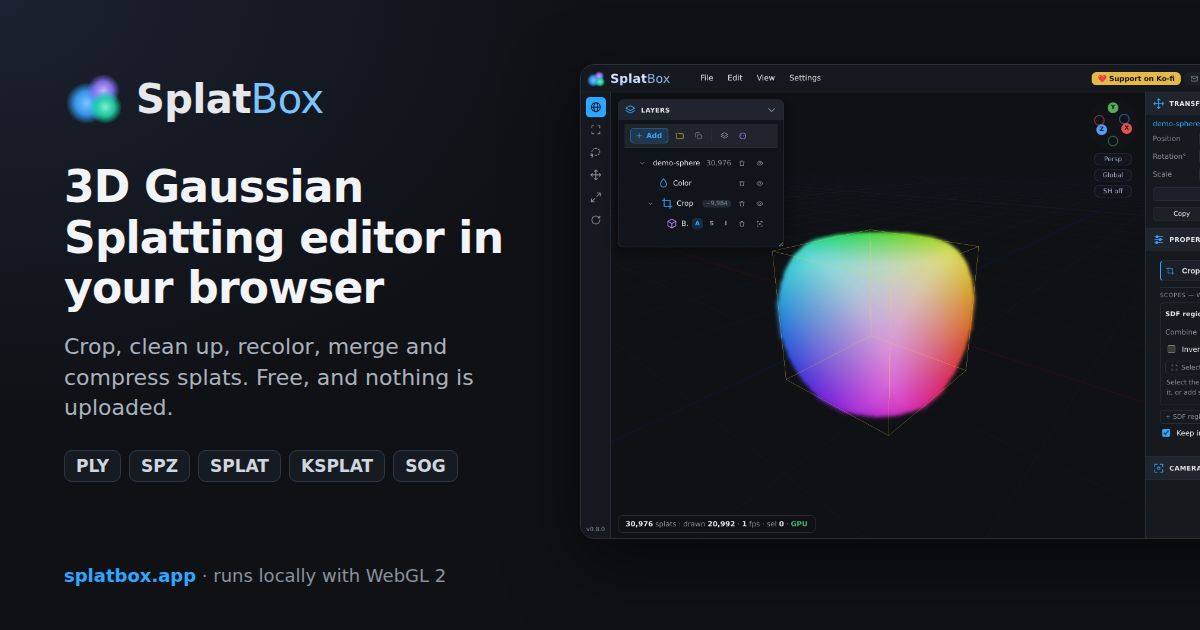
What you can do with it
Open and merge splat scenes
Drag in PLY files from INRIA 3DGS training or Postshot, SuperSplat compressed PLY, .spz
(Niantic / Scaniverse), .ksplat, .splat or SOG. Several scenes load as layers you
can move, rotate, scale, group into folders and merge into one cloud.
Crop and select
Crop to analytic regions — sphere, box, rounded box, capsule, plane or torus — combined into compound shapes, and move them with 3D gizmos. Box and lasso selection pick splats to delete.
Remove floaters and reduce splat count
- Cleanup filters invalid, near-transparent, oversized and isolated splats (statistical outlier removal).
- Prune hides the least important splats, ranked from their attributes or, with your COLMAP
cameras (
cameras.txt+images.txt), from how much each splat contributes to the captured views. - Decimate merges nearby similar Gaussians instead of deleting them, so the scene gets lighter without opening holes.
Recolor
Exposure, brightness, contrast, saturation, hue, temperature and gamma, plus levels, curves and gradient maps. Every adjustment can be limited to a 3D region, a brightness band or a picked colour, and previews live on the GPU.
Work non-destructively
Edits live in a modifier stack you can reorder, toggle and undo; the original splats are only changed when you
apply or export. Save everything to a .splatproj project file, and the open project is autosaved in
your browser.
Supported formats
| Format | Open | Export | Notes |
|---|---|---|---|
| PLY (INRIA / Postshot) | ✓ | ✓ | full spherical harmonics; binary and ASCII |
| Compressed PLY (SuperSplat) | ✓ | ✓ | PlayCanvas chunked, quantized format |
.spz | ✓ | ✓ | about 6–10× smaller, full spherical harmonics |
.ksplat | ✓ | ✓ | GaussianSplats3D, compression levels 0–2 |
.splat | ✓ | ✓ | 32 bytes per splat, base colour only |
SOG (.sog) | ✓ | — | PlayCanvas Self-Organizing Gaussians |
| Any of the above, gzipped | ✓ | ✓ | PLY and .splat export can be gzipped |
To convert a splat — for example PLY to SPZ, or PLY to compressed PLY — open it, then choose File ▸ Export… and pick the target format. Export can also scale the scene and decimate it on the way out.
Private by design
SplatBox is a static web page: parsing, editing, rendering and exporting all happen in your browser tab. There are no accounts, no uploads and no analytics. See the privacy policy.
Questions
Is SplatBox free?
Yes. There is no account or paywall; if it helps you, you can support it on Ko-fi from the editor's top bar.
Are my splat files uploaded anywhere?
No. Files are read with your browser's File API and stay on your computer. Exports are downloaded directly.
What do I need to run it?
A current desktop browser with WebGL 2, for example a recent Chrome, Edge or Firefox. A mouse with a middle button makes navigation easiest; large scenes benefit from a dedicated GPU and plenty of memory.
How do I make a splat file smaller?
Export as .spz or compressed PLY to shrink the file without dropping a single Gaussian. To reduce
the number of splats as well, use Cleanup, Prune or Decimate before exporting.
Can I use it with Postshot, Scaniverse or other capture apps?
Any tool that exports one of the formats above works — for example PLY from Postshot or INRIA-style training,
or .spz from Scaniverse. COLMAP camera files can be loaded for camera-aware pruning.